Vicomsoft FTP Client5.0.2
Publisher Description
15 years of Mac FTP Experience
First released in 1997, FTP Client 5.0 represents the culmination of over 15 years experience in FTP transfers on the Mac platform. Extreme performance and unrivaled reliability, married with a sleek and intuitive user interface is the result.
Speed & Performance
Topping the highs achieved in the past was hard : every aspect of operation has been optimised to provide the fastest completion times yet, employing specialist techniques to maximize throughput and reduce latency, while utilising the smallest levels of CPU and memory resources. In test conditions we measured that v5.0 is up to a whopping 25% faster overall
Reliability
FTP Client 5.0 for Mac OS X has been rigorously tested by a team of beta testers, specially selected from existing FTP Client customers. In all cases, testers reported that the new version provided them with the most reliable, hassle-free file transfer experience to date.
"Absolutely 100% rock solid."- Mike Reeves (beta-tester)
Ease of Use
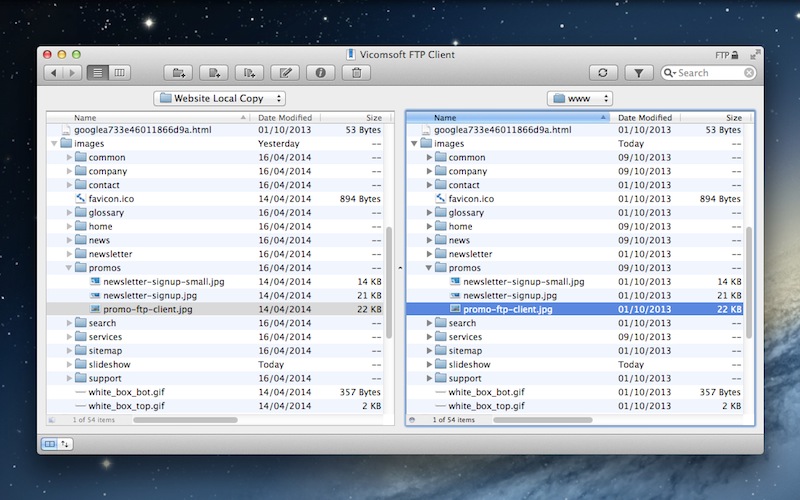
In keeping with Apple design, FTP Client boasts many Mac OS X interface elements, with its high resolution Retina display support, animations, toolbars and drag and drop simplicity throughout, making it not only easy to use but truly a pleasure to use. Yet in true Mac fashion, while its UI is clean and uncluttered, a plethora of power features are just a click away.
OS X Savvy
FTP Client is a thoroughbred Mac-only app, taking advantage of many OS X technologies, such as Quick Look previewing, AppleScripting, Bonjour networking and more.To access its power you will need an Intel-based Mac running a minimum of Mac OS X 10.5 Leopard, although 10.8 Mountain Lion or later is recommended
About Vicomsoft FTP Client
This FTP Clients program is available in English. It was last updated on 29 September, 2026. Vicomsoft FTP Client is compatible with the following operating systems: Mac.
The company that develops Vicomsoft FTP Client is Vicomsoft Limited. The latest version released by its developer is 5.0.2. This version was rated by 4 users of our site and has an average rating of 2.5.
The download we have available for Vicomsoft FTP Client has a file size of 7.3 MB. Just click the green Download button above to start the downloading process. The program is listed on our website since 2014-07-16 and was downloaded 735 times. We have already checked if the download link is safe, however for your own protection we recommend that you scan the downloaded software with your antivirus. Your antivirus may detect the Vicomsoft FTP Client as malware if the download link is broken.
How to install Vicomsoft FTP Client on your Windows device:
- Click on the Download button on our website. This will start the download from the website of the developer.
- Once the Vicomsoft FTP Client is downloaded click on it to start the setup process (assuming you are on a desktop computer).
- When the installation is finished you should be able to see and run the program.
Program Details
System requirements
Download information
Pricing
Version History
version 5.0.2
posted on 2014-07-16
Major Upgrade: 30+ New Features
- All new, high resolution Retina-ready UI
- Full FTP + FTPS + SFTP protocol support
- Super-fast file transfers
- Automatic re-connect and resume
- Full screen browser mode (Lion or later)
- Integrated Bookmarks manager with Dropbox sync
- TONS MORE
version 4.6.0
posted on 2009-03-31
Universal Binary, Leopard compatibility, Support for FTP over SSL, Automatic re-connect & resume, AppleScripting, including recording, Automatic FTP mode detection, Automatic server time zone detection, Server to server transfers, Large file support (more than 2GB), Full Unicode support
